UI/UX · case study · 2025–26

A trust-first dating app for the Indian urban market.
At a glance
End-to-end UI/UX design for a trust-first dating app built for the Indian urban market, covering onboarding, discovery, matching, messaging and premium features. The app is in development for a Play Store launch.
- Role
- End-to-end UI/UX design, User research, Prototyping
- Team
- Solo
- Tools
- Figma, Adobe XD, Adobe Photoshop, Canva
- Deliverables
- 25+ screens, Figma component library, Clickable prototype
- For
- Mine
01 — Process
Research → Wireframe → Test → Ship
Conducted a competitive analysis of 3 leading apps and built user personas for an Indian urban audience aged 21–35.
01 · Discover
Competitive research
Analysed Tinder, Bumble and Hinge to identify UX gaps specific to Indian users: trust barriers, cultural relevance and onboarding abandonment patterns.
02 · Define
User personas & journeys
Created 2 primary personas (urban professional, recent graduate) and mapped full user journeys from first launch through sustained engagement and match conversion.
03 · Design
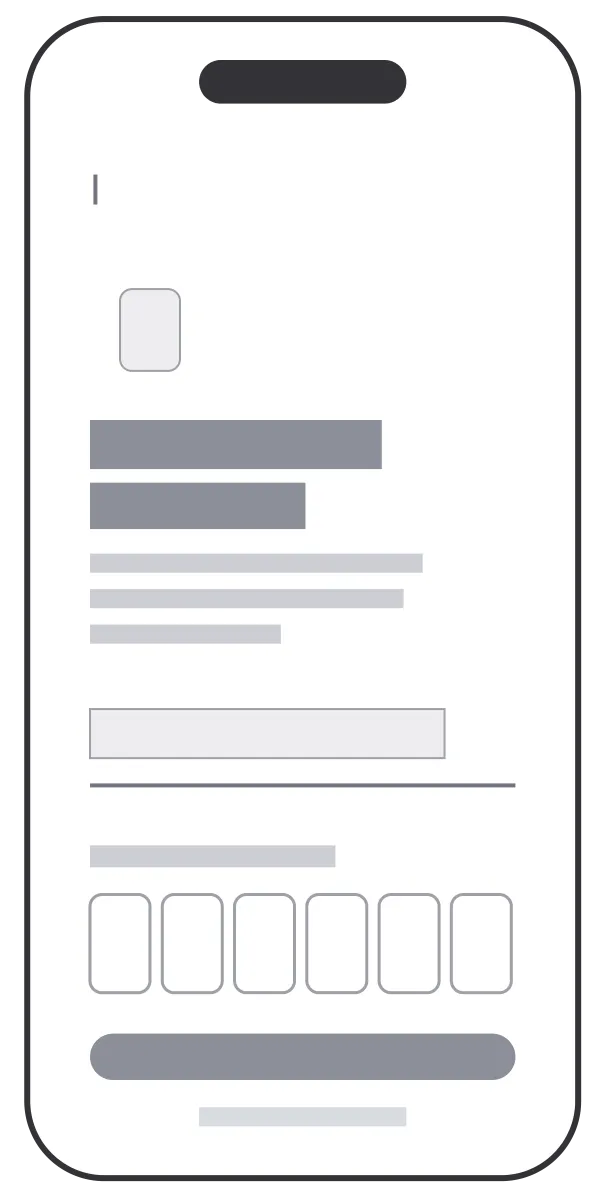
Wireframes → high fidelity
Produced 40+ wireframes across onboarding, discovery, chat and premium screens, then iterated to high-fidelity UI with a consistent design system: typography, colour tokens and reusable components.
04 · Validate
Prototype testing
Tested a clickable Figma prototype with 15 real users aged 22–30, capturing task completion rates, verbal feedback and satisfaction scores across key flows.
 Structure
 Final
Final02 — Onboarding
Trust-first onboarding in 4 focused steps
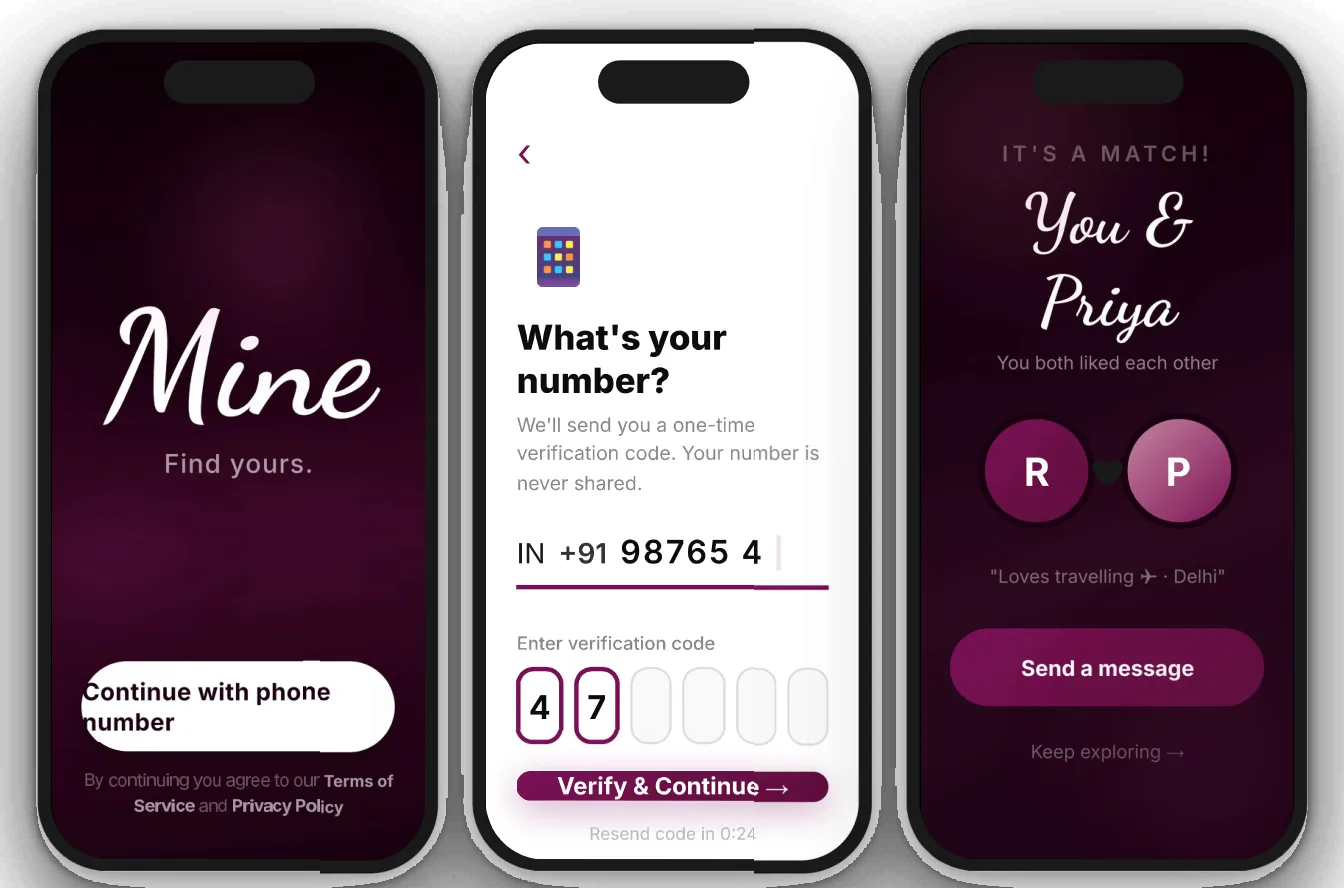
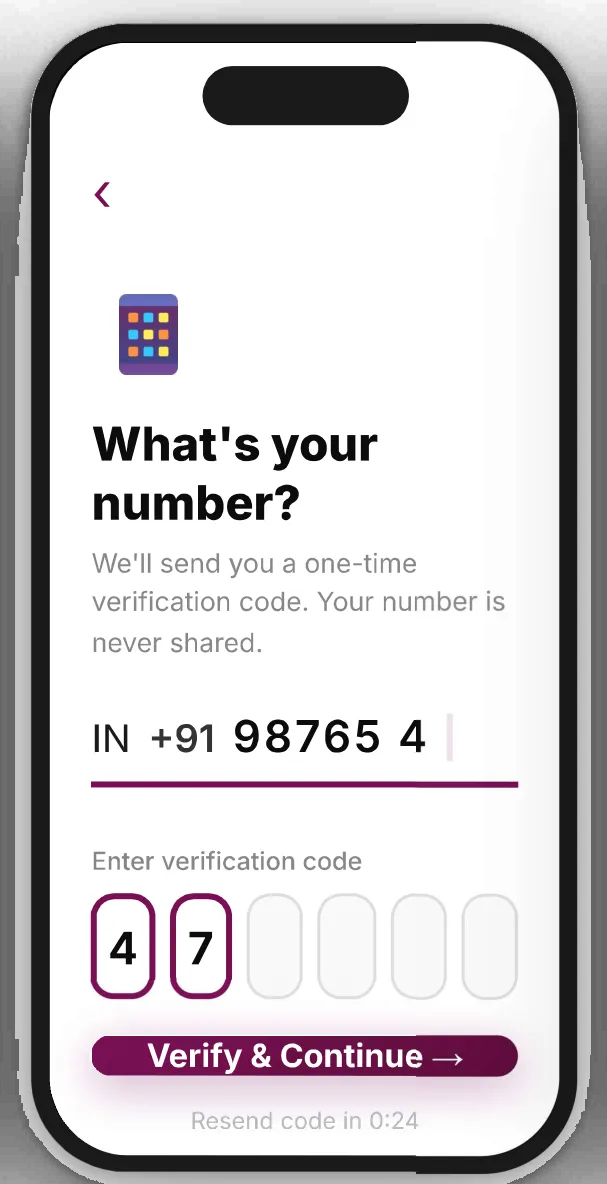
The onboarding is designed to minimise friction at first launch: only phone OTP verification is required before entering the app, with profile completion happening progressively. No forced fields. No long forms.
Screens from the prototype
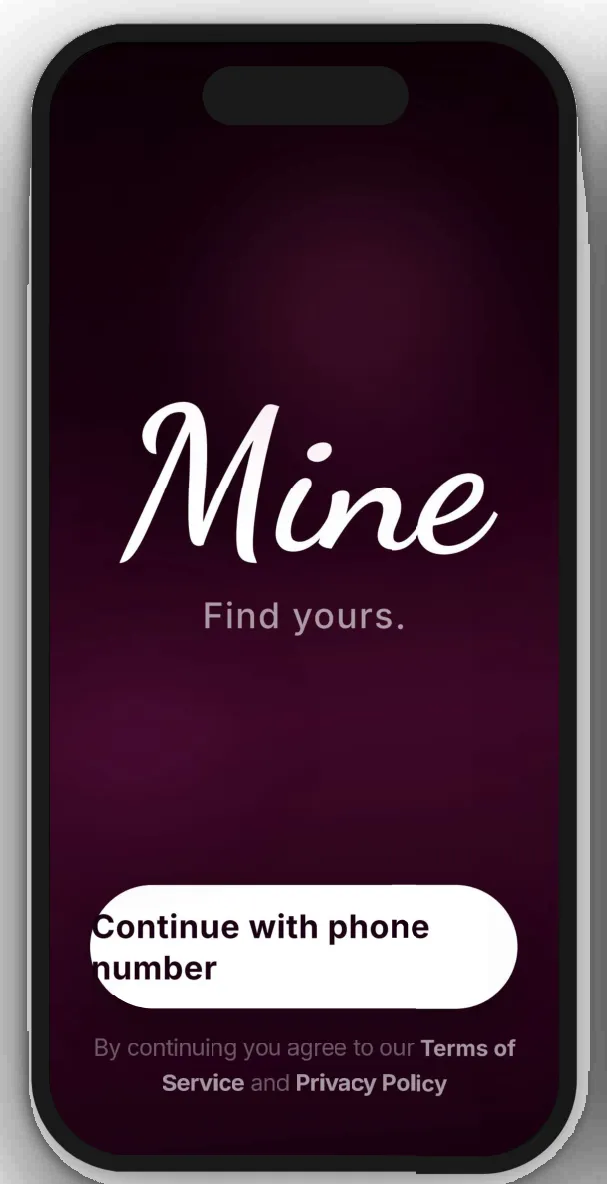
Splash · launch screen
Phone · OTP verification
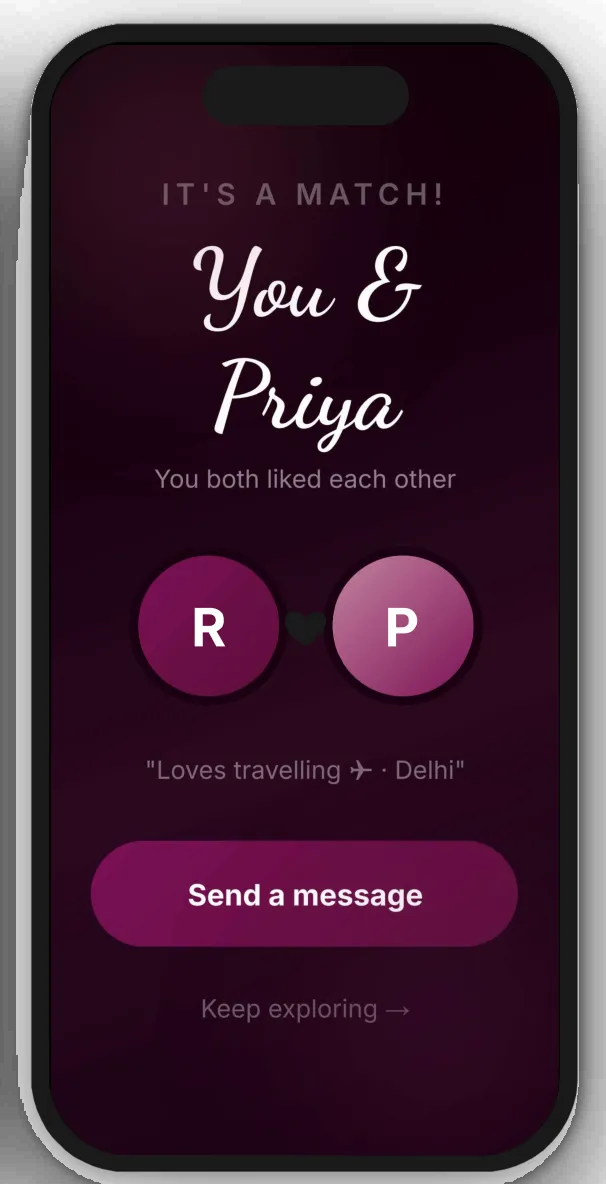
Match celebration
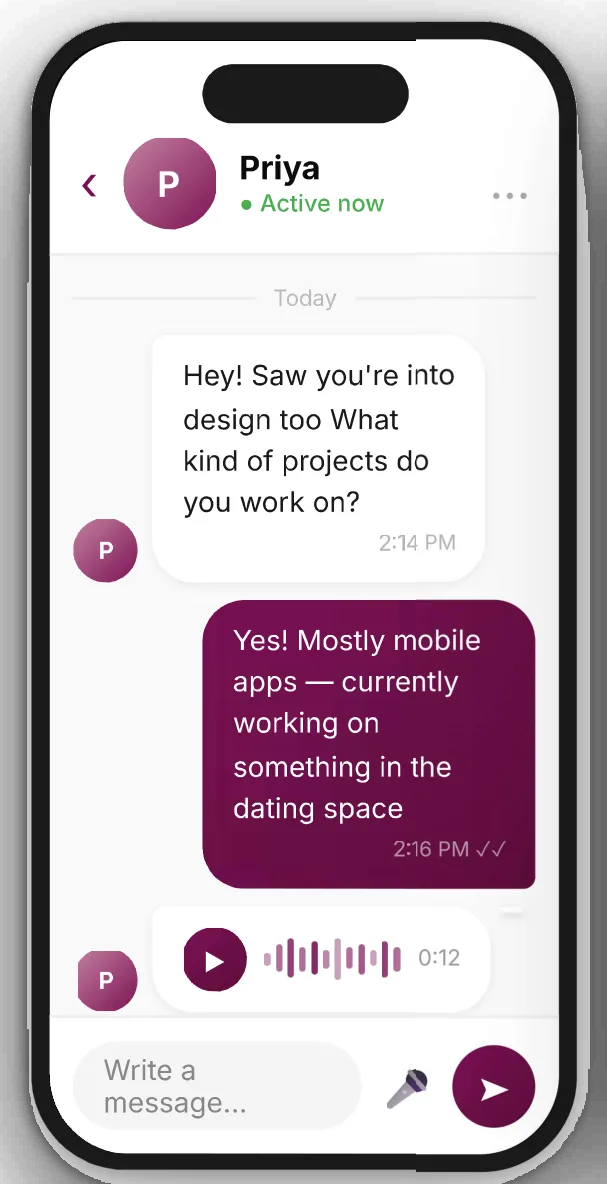
Chat · real-time messaging
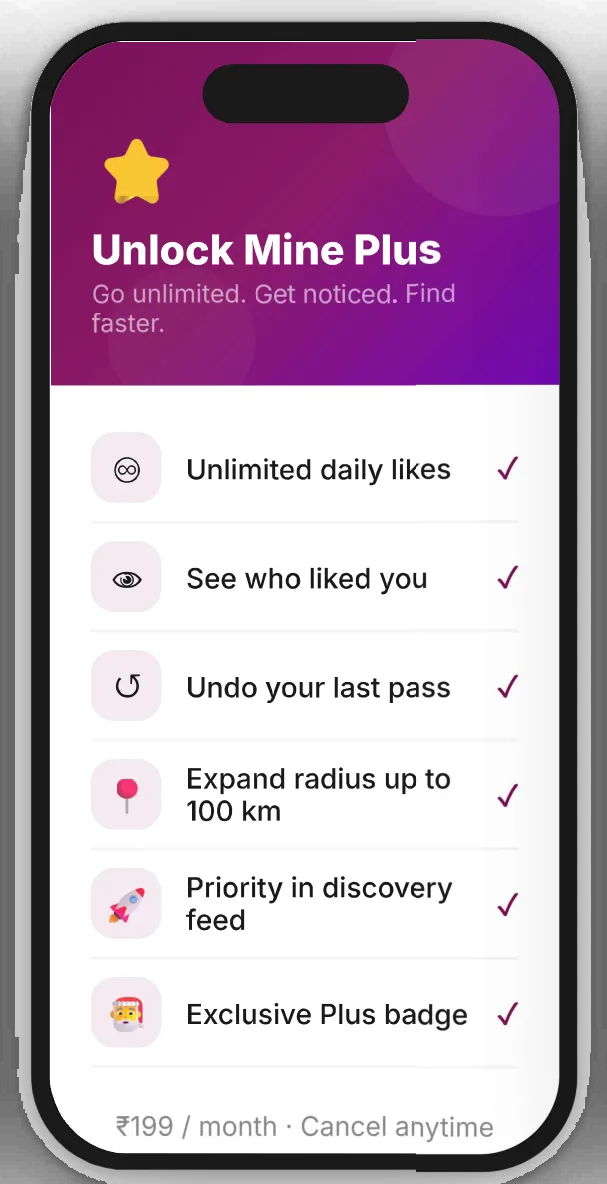
Upgrade · Mine Plus
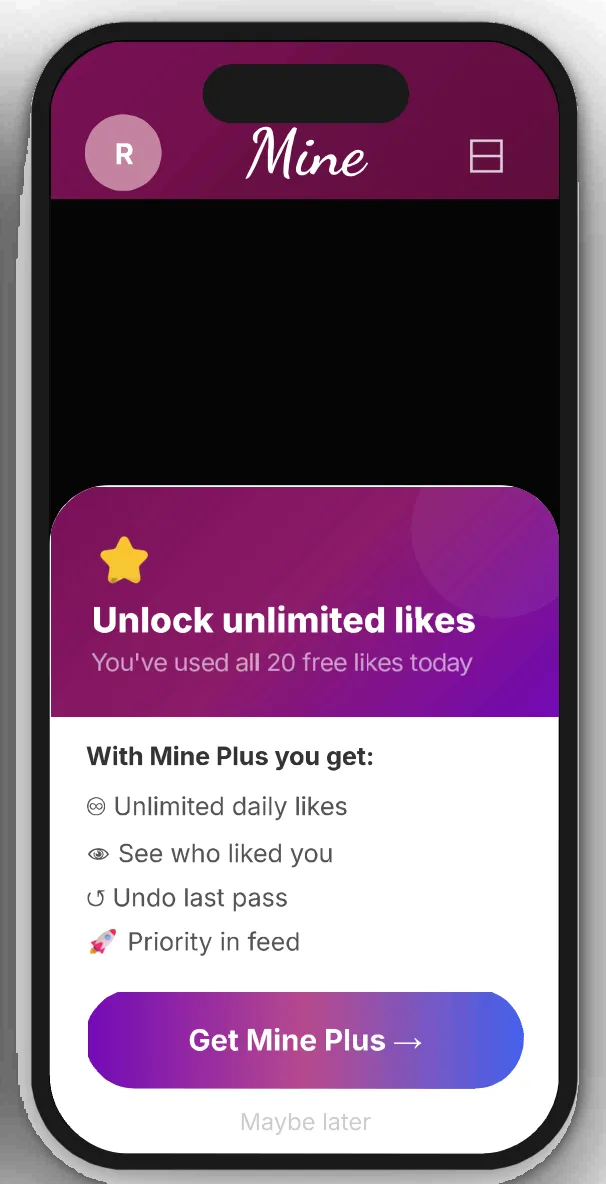
Daily limit · upsell moment
Swipe, drag or use the arrow keys
Progressive disclosure
Only phone OTP is required at entry. Profile details (bio, photos, interests) are collected progressively, reducing initial friction.
Trust signals
Phone verification over email builds trust for the Indian dating context. “Your number is never shared” micro-copy reduces hesitation.
Haptic celebration
The match celebration uses haptic feedback and animation. A “Keep exploring” option reduces pressure to message immediately.
03 — Discovery
Swipe to like. Scroll to explore. Filter to find the right fit.
Discovery is the core loop. Profiles are full-screen and scrollable: photos alternate with personality sections (bio, interests, lifestyle, love language) to encourage genuine connection over surface-level swiping.
Compatibility badge
A match badge animates on scroll into view. Its colour shifts green, amber or grey with the score, drawing attention without disrupting the reading flow.
Photo + story ring
Stories show as a ring on the profile photo. Unseen stories get a wine ring; seen stories dim: a familiar, Instagram-style pattern.
Smart filters
Distance, age range (steppers), gender preference and an “Around the Globe” toggle, presented in a bottom sheet to avoid overwhelming the main screen.
04 — Chat & premium
Real conversations. Clear value. No pressure.
The chat supports text, voice messages, photo sharing and emoji reactions. Premium is introduced in context, never forced and always value-first: free users see 20 likes a day; Plus unlocks unlimited discovery and five more features.
Voice messages: an animated waveform, familiar to WhatsApp users
Mine Plus: ₹199 a month, cancel anytime
Contextual upsell: only when a limit is hit, with “Maybe later”
Key design decisions
OTP-only entry
Removed email sign-up entirely. Phone verification is faster and more trusted in the Indian market.
Scroll ≠ swipe
Vertical scroll explores personality; horizontal swipe is the like/pass action. Separated intentionally to encourage reading over reaction.
Compliment without a like
Users can send a compliment on a photo, which opens a chat without forcing a like, reducing social pressure while starting genuine conversations.
05 — Outcomes
Results from prototype usability testing
A clickable Figma prototype was tested with 15 users aged 22–30.
- 85%Completed onboarding without assistancePrototype usability test, 15 users aged 22–30
- 40%Faster profile setup than competitor appsPrototype usability test, 15 users aged 22–30
- 4.4/5Average satisfaction on chat & match flowsUser survey
- 25+Screens designedBuilt on a reusable Figma component library
What I learned
Designing for trust in a sensitive social context (dating in India) taught me that UX decisions carry emotional weight. Copy matters as much as layout, and every friction point represents a real person’s hesitation. Testing revealed that users read bios more carefully when photos and text alternate rather than appearing separately, which informed the final profile scroll structure.
Work with Ramankita
Have a project in mind?
Identity, packaging, print or UI: a short inquiry form.
Start an inquiry →