UI/UX · case study
PGwala
A PG directory web app for five Indian cities, designed and built as a live prototype.
At a glance
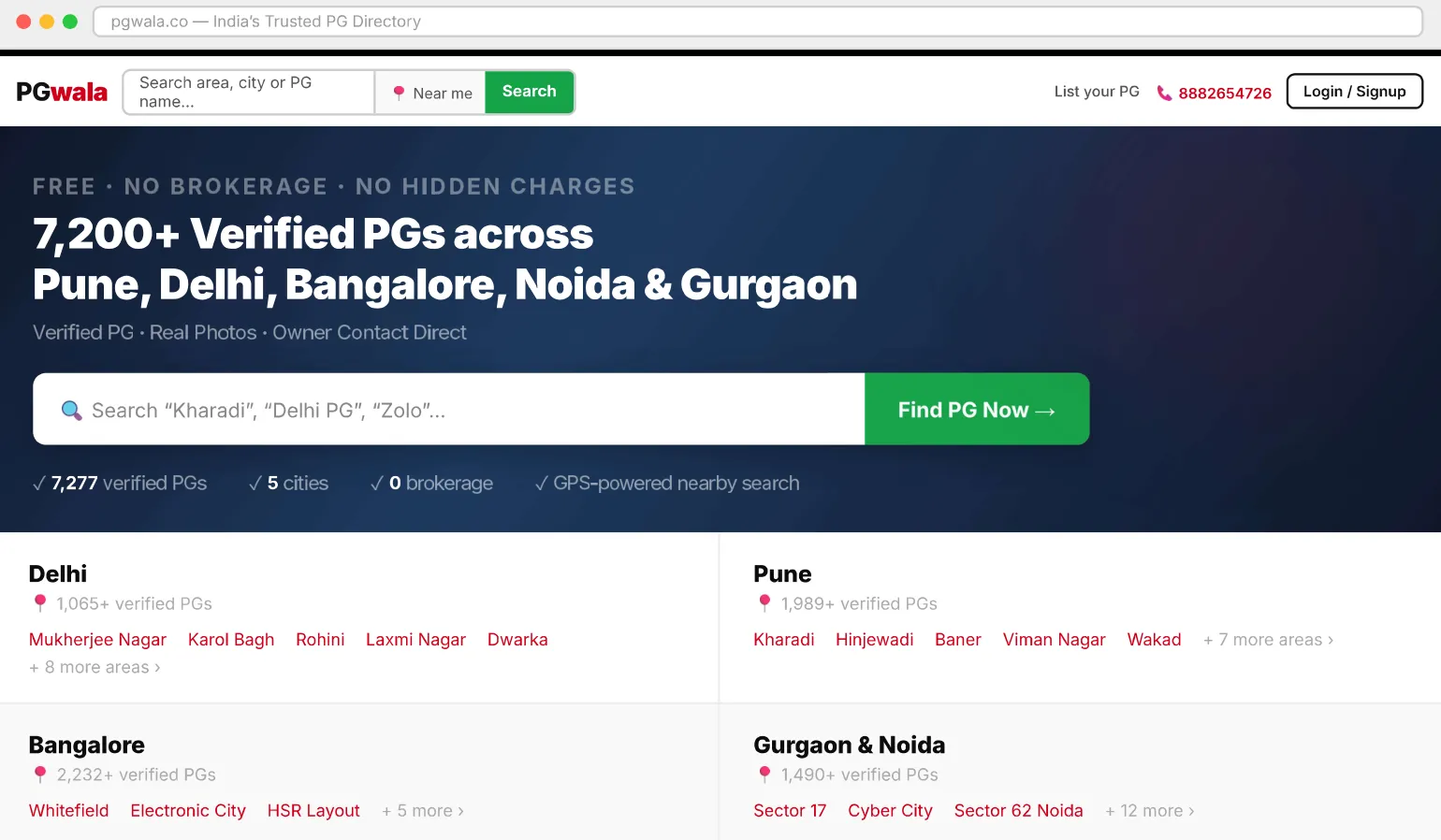
PGwala lets students and working professionals find verified paying-guest accommodation across Pune, Delhi, Bangalore, Noida and Gurgaon, with GPS-based search, real photos, owner contacts and zero brokerage. I designed the landing page and the full directory experience for 7,277 PGs across 15+ areas.
- Role
- UI/UX design, Information architecture, Front-end prototype
- Team
- Solo
- Tools
- HTML, Tailwind CSS, Leaflet.js
- Deliverables
- Landing page, Directory with live map, PG detail page, Live HTML prototype
- For
- PGwala
01 — Research
Transparency was the real problem
Spoke with 10 tenants and 5 PG owners. The key finding: most complaints were about transparency: hidden charges, fake photos and no direct contact.
01 · Research
User interviews
Spoke with 10 tenants and 5 PG owners. Most complaints were about transparency: hidden charges, fake photos, no direct contact.
02 · IA
Information architecture
Mapped 3 core pages: directory (browse), detail (evaluate) and owner dashboard (list). Defined filters from data patterns across 7,277 PG records.
03 · Visual
UI design
A clean white + red system. A black 3px nav border as a visual anchor. Space Grotesk for a modern, technical feel. Cards at 168px for density without clutter.
04 · Prototype
Live HTML prototype
Built fully interactive in HTML, Tailwind and Leaflet.js, with real API data, GPS integration and live filter updates. Tested on an actual device with real PG seekers.
02 — Landing
Search first, sign-up optional
The landing page leads with search. All 7,277 PGs, with photos, prices and contacts, are visible immediately; sign-up is optional and only prompted when it’s needed.
Smart search
A live suggestion dropdown matches area names and individual PG names as you type. Selecting an area pans the map to that zone instantly.
Zero-friction entry
No login required to browse. Sign-up is optional and only prompted when needed.
City-scale data
5 cities, 15+ area directories and 7,277 PGs, with real Google Places ratings, owner phones, amenities and verified photos.
03 — Directory
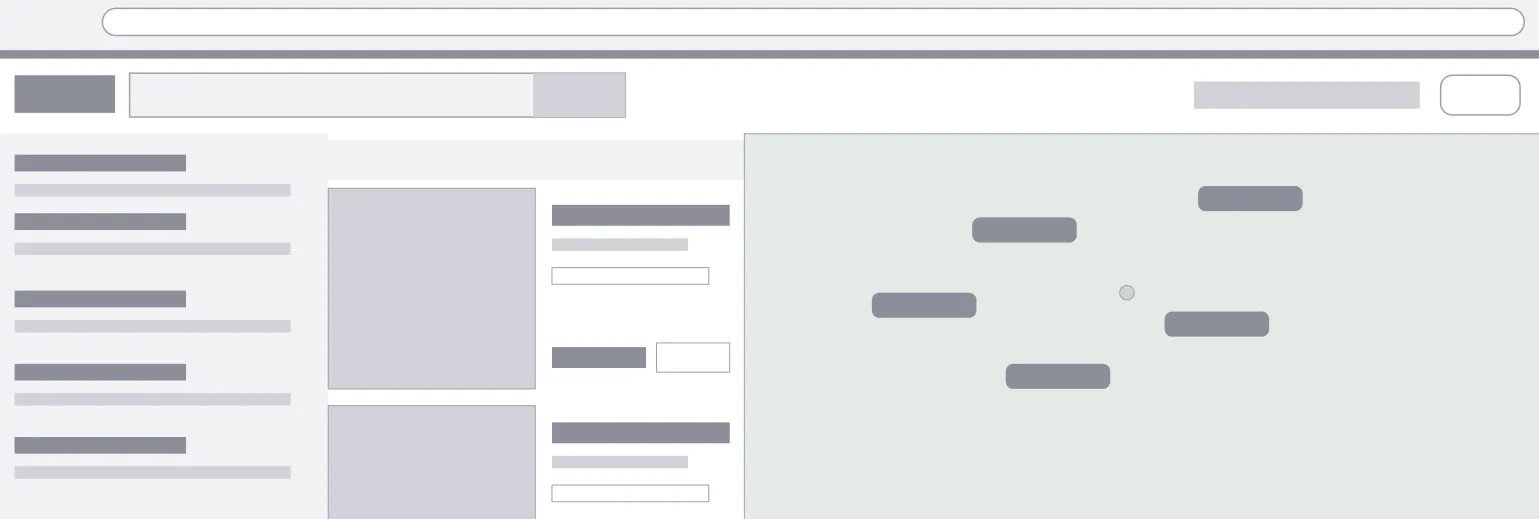
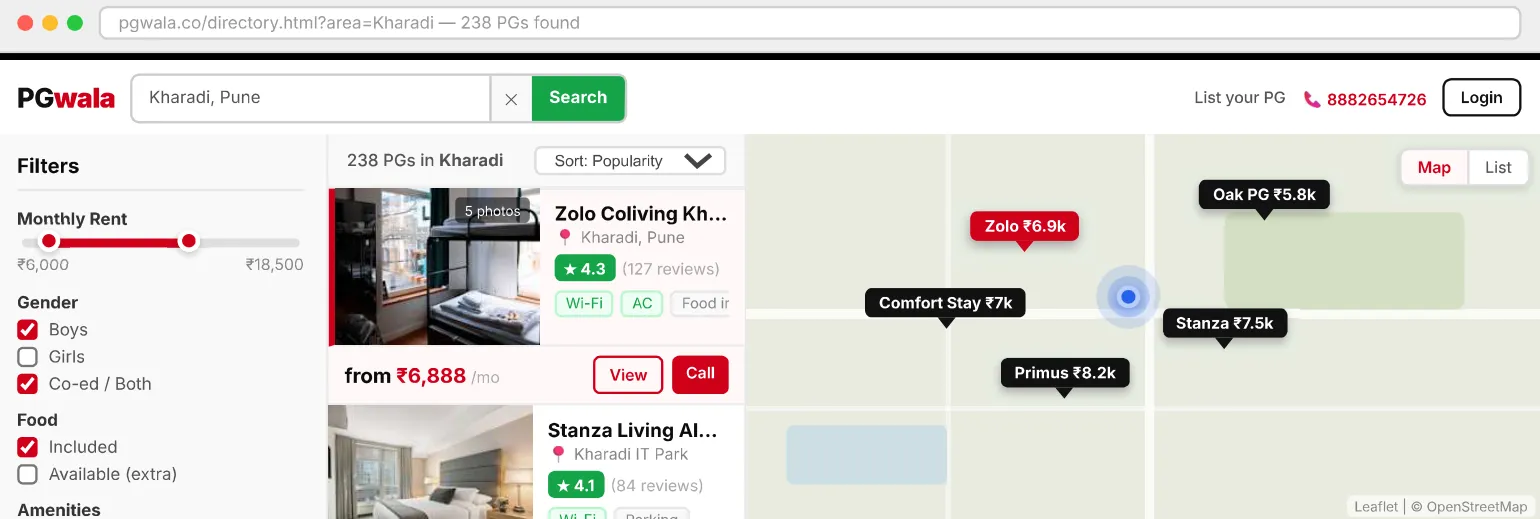
3-column layout: filter, browse, map
The directory is the main product screen: a collapsible filter sidebar, a scrollable PG card list and an interactive Leaflet.js map, all three updating in sync. Clicking a card highlights its map marker; clicking a marker scrolls to the card and adds a red selection border.
 Structure
 Final
Final- 5 live filtersRent slider, gender, food type, amenities and minimum rating: all debounced, all updating the list and the map count at once, without a reload.
- Card ↔ map syncClicking a card turns its map marker red and zooms in. Clicking a marker scrolls the list to the card with a red selection border.
- GPS “Near me”Uses the device location to sort PGs by distance. A blue pulsing dot shows your position on the map, with animated wave rings.
04 — Detail
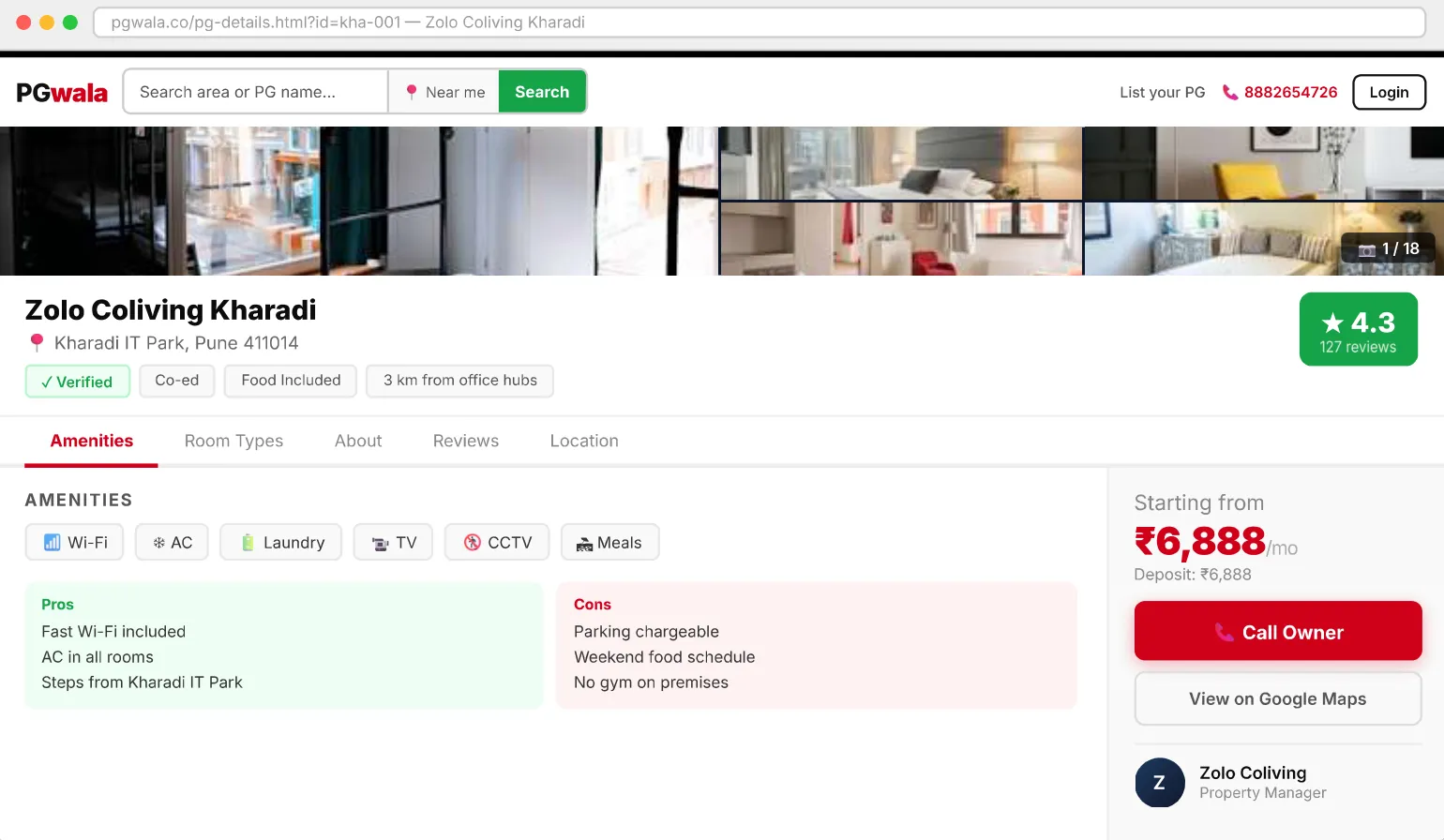
Full-page PG view: gallery, amenities, booking
Each PG gets a full page: a photo gallery, a verified badge and rating, amenities, pros and cons, and a price panel with a direct Call Owner button.
Outcomes
- 7,277PGs across 5 citiesReal listings with ratings, amenities and owner contacts
- 15+Area directories designed
- 3Core pages, end to endDirectory, detail and owner dashboard
- GPSReal location detection, live
What I learned
Designing a data-heavy directory taught me that density is not the enemy; the enemy is unclear hierarchy. The 168px card height constraint forced every element to earn its place. The card↔map sync interaction was the feature users commented on most, which taught me that spatial context is as important as text in location search.
Work with Ramankita
Have a project in mind?
Identity, packaging, print or UI: a short inquiry form.
Start an inquiry →